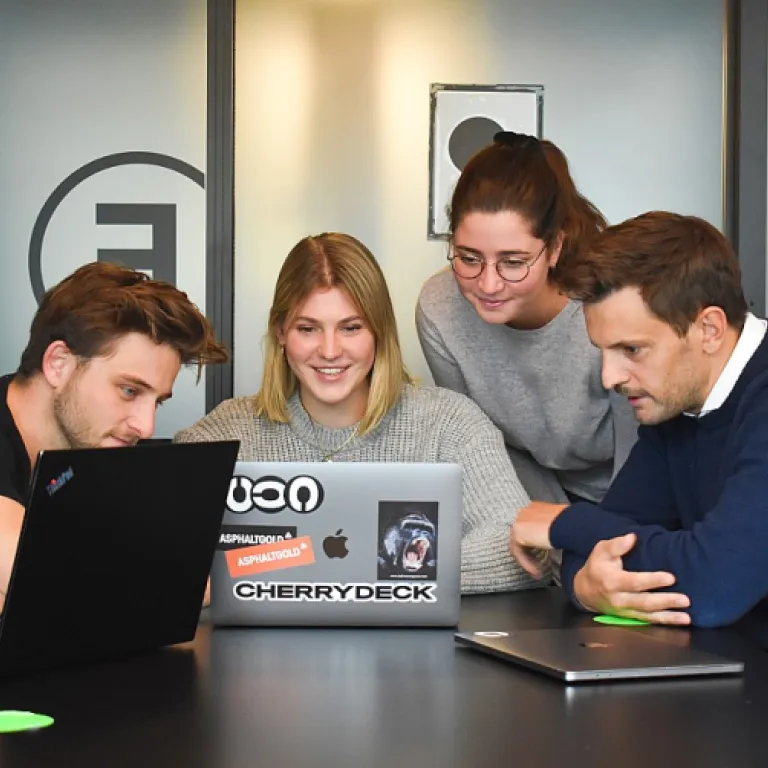
Understanding the unique needs of Indian office computer rooms
Recognising the Diversity of Computer Spaces in Indian Offices
Indian offices often manage a variety of computer rooms, from high-traffic computer labs and technical support rooms to meeting rooms and control rooms. Each space comes with its own set of requirements, influenced by factors like the number of workstations, usage patterns, and the type of technology deployed. For example, a software room in a university setting may need real-time lab management and access control, while a corporate meeting room might prioritise air conditioning efficiency and secure access for confidential discussions.
Challenges Unique to Indian Office Environments
- Resource Allocation: Many offices face constraints in terms of space and resources, making it essential to optimise workstation usage and energy consumption.
- Energy Efficiency: With rising energy costs, there is a growing need for solutions that support energy saving and high efficiency, especially in rooms with heavy air conditioning and computer usage.
- Data Security: Ensuring privacy policy compliance and protecting sensitive data is critical, particularly in control rooms and computer labs handling confidential information.
- Maintenance and Support: Timely updates and technical support are crucial for keeping systems running smoothly and minimising downtime.
Why a Tailored Management System Matters
Implementing a management system that is designed for the unique needs of Indian offices can help streamline operations, control access, and provide an overview feature for better decision-making. Modern management software offers real-time monitoring, lab management, and support for multiple rooms, making it easier to manage resources efficiently. By choosing the right solution, office managers can ensure high efficiency and better control over their computer lab and meeting room environments.
For office managers looking to empower their teams and improve overall management, exploring team augmentation strategies can be a valuable step in supporting the adoption of new technology and management software.
Key features to look for in a management system solution
Essential Capabilities for Modern Computer Room Management
When selecting a management system for computer rooms in Indian offices, it is important to focus on features that address both operational efficiency and the unique challenges of local environments. The right solution can transform how your office manages resources, controls access, and supports technical teams.
- Centralized Control and Real-Time Monitoring: Choose software that offers a unified dashboard for all your rooms, including computer labs, meeting rooms, and control rooms. Real-time updates on workstation usage, air conditioning status, and energy consumption help managers respond quickly to issues and optimize resource allocation.
- Access Management and Security: High efficiency in computer room management starts with robust access control. Look for systems that support role-based permissions, ensuring only authorized staff can enter sensitive spaces. This is crucial for data security and compliance with privacy policy requirements.
- Energy Efficiency and Cost Reduction: Advanced management software should provide detailed analytics on energy usage patterns. Features like automated air conditioning control and energy-saving modes can significantly reduce operational costs while maintaining optimal working conditions.
- Technical Support and Maintenance Tools: Efficient computer room management systems offer integrated support features. These include automated alerts for equipment issues, maintenance scheduling, and a clear overview feature for tracking updates and repairs across all rooms.
- Scalability and Integration: As offices expand or add new labs and meeting rooms, the management system should scale seamlessly. Compatibility with existing technology and the ability to integrate with other management software is essential for high efficiency.
For office managers in universities and corporate environments, these features ensure that resources are used effectively and that technical support teams can respond in real time. Choosing a solution with these capabilities not only improves daily operations but also supports long-term goals for energy efficiency and cost control.
To further empower office managers in Indian companies, consider exploring how team augmentation can enhance your management strategy.
Optimizing energy consumption and reducing costs
Smart Strategies for Lowering Energy Use in Computer Rooms
Managing energy consumption in computer rooms, labs, and control rooms is a top priority for Indian offices. High energy costs, especially from air conditioning and workstation usage, can quickly add up. An efficient computer room management system solution helps offices monitor and control these expenses in real time.- Automated Air Conditioning Control: Modern management software can adjust air conditioning based on room occupancy and temperature, reducing unnecessary cooling and supporting energy saving goals.
- Usage Patterns Analysis: The overview feature in many management systems tracks how often workstations, meeting rooms, and lab spaces are used. This data helps optimize schedules and avoid powering empty rooms.
- Resource Allocation: By monitoring real time usage, offices can allocate resources more efficiently, ensuring that high energy devices are only active when needed.
- Centralized Control: A unified software room or lab management system allows IT teams to manage updates, technical support, and access control from one dashboard, saving both time and energy.
Leveraging Technology for Cost Reduction
The right management system solution supports high efficiency in computer labs, universities, and meeting rooms. Automated alerts for abnormal energy consumption, scheduled shutdowns, and remote access features all contribute to lower operational costs. These systems also help maintain compliance with privacy policy requirements and protect the rights reserved for sensitive data. For office managers seeking a deeper understanding of how efficient computer room management impacts employee orientation and resource use, this employee orientation in Indian companies guide offers valuable insights.| Feature | Benefit |
|---|---|
| Real time monitoring | Immediate response to high energy use |
| Automated scheduling | Reduces manual intervention and energy waste |
| Centralized updates | Ensures all rooms and labs run the latest software |
| Access control | Limits usage to authorized staff, saving resources |
Ensuring data security and compliance
Protecting Sensitive Data in Computer Rooms
Indian offices handle a significant amount of sensitive information in their computer rooms, labs, and control rooms. Protecting this data is not just about installing the latest technology, but also about implementing a management system that supports high standards of security and compliance. The right management software can help you control access to workstations, meeting rooms, and other critical spaces, ensuring only authorized personnel can enter or use these resources.
Access Control and Real-Time Monitoring
Modern management system solutions offer robust access control features. These allow you to set permissions based on user roles, time of day, or even specific rooms. Real-time monitoring and updates provide an overview feature that tracks who enters the computer lab or software room, and when. This not only helps in preventing unauthorized access but also supports compliance with privacy policy requirements and internal audit processes.
- Role-based access for different staff and support teams
- Automated logs for every entry and exit in high-security spaces
- Alerts for unusual usage patterns or failed access attempts
Compliance with Indian Regulations
Compliance is a critical concern for Indian offices, especially those in sectors like finance, education, and technology. A reliable management system should help you adhere to national and industry-specific regulations. For example, universities and technical labs often require strict documentation of resource usage and data handling. Management software that supports regular updates and audit trails makes it easier to demonstrate compliance and protect your organisation’s rights reserved.
Securing Workstations and Network Resources
Beyond physical access, efficient computer room management also involves securing digital resources. The system should integrate with your network to monitor workstation activity, restrict software installations, and manage technical support requests. This layered approach helps prevent data breaches and ensures high efficiency in your daily operations.
Best Practices for Data Security
- Regularly update management software to patch vulnerabilities
- Enforce strong password policies for all users
- Schedule periodic reviews of access logs and usage patterns
- Provide ongoing training for staff on data privacy and security protocols
By integrating these features into your management system solution, you can create a secure environment for your computer rooms, labs, and meeting rooms, supporting both operational needs and regulatory requirements.
Streamlining maintenance and troubleshooting
Reducing Downtime with Proactive Maintenance
Efficient computer room management relies on minimizing disruptions. Regular maintenance of workstations, servers, and air conditioning units is essential to keep the room running smoothly. Using management software with real time monitoring helps identify issues before they become critical. This proactive approach reduces downtime and extends the lifespan of technology resources.- Automated alerts: Modern management system solutions send notifications for scheduled maintenance or when anomalies are detected in the control room environment.
- Overview feature: A dashboard gives a clear view of all rooms, lab equipment, and meeting rooms, making it easier to plan maintenance without interrupting daily operations.
- Energy efficiency: Monitoring air conditioning and power usage patterns can reveal opportunities for energy saving, further reducing costs and supporting high efficiency goals.
Streamlining Troubleshooting with Centralized Support
When technical issues arise, quick resolution is crucial. A robust management software solution centralizes support requests, tracks their status, and provides access to historical data for each workstation or lab. This makes it easier for IT teams to diagnose problems and implement fixes efficiently.- Centralized ticketing: Users can report issues in real time, and support teams can prioritize based on urgency and impact on computer lab or meeting room operations.
- Remote control: Some systems allow remote troubleshooting, reducing the need for physical intervention in high-security spaces or control rooms.
- Regular updates: Keeping software room and management system applications updated ensures compatibility with the latest technology and security protocols.
Best Practices for Maintenance and Support
- Schedule regular audits of all rooms and equipment to identify potential issues early.
- Use lab management software to track maintenance history and predict future needs.
- Train staff to recognize early warning signs and report them promptly.
- Ensure that all updates and patches are applied according to the privacy policy and compliance requirements.
Training staff and promoting best practices
Building a Skilled Team for Smooth Room Operations
Training staff is essential for the efficient computer room management system in Indian offices. Even the best management software or lab management solution will not deliver high efficiency without a well-prepared team. Here are some practical steps for office managers:- Onboarding and Regular Training: New staff should receive a thorough overview feature of the management system, including workstation access, control room protocols, and air conditioning controls. Regular updates and refresher sessions help everyone stay current with technology and software room changes.
- Promoting Best Practices: Encourage staff to monitor energy consumption and usage patterns in real time. This supports energy saving and helps maintain high energy efficiency in computer labs, meeting rooms, and other shared spaces.
- Technical Support Awareness: Ensure everyone knows how to request technical support and understands the escalation process for system or lab issues. Quick troubleshooting reduces downtime and keeps resources available.
- Data Security and Compliance: Reinforce privacy policy guidelines and access control measures. Staff should understand the importance of protecting sensitive data and following compliance requirements, especially in universities and high-security rooms.
- Feedback and Continuous Improvement: Create channels for staff to suggest improvements or report inefficiencies. This collaborative approach can reveal new ways to optimize the management system and improve air quality, system updates, and overall control.
